
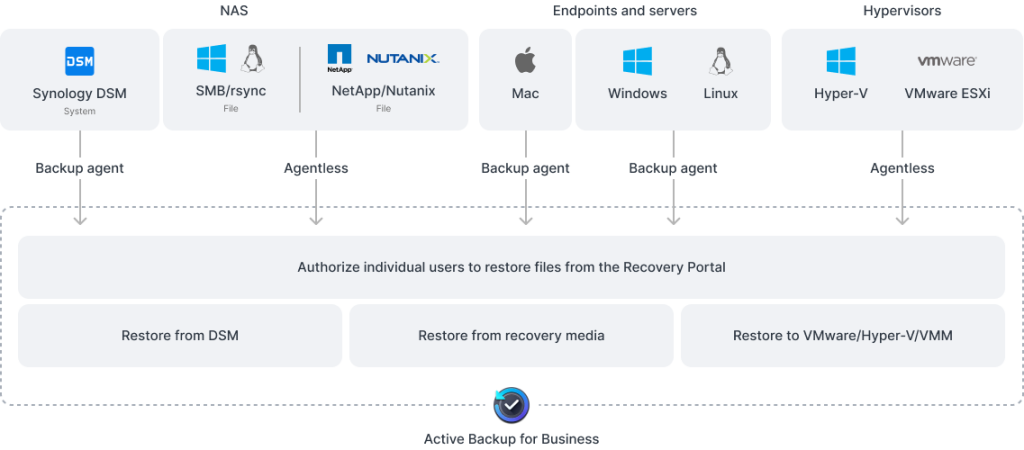
The console gives full visibility of backup tasks across physical and virtual environments, with data and services always accessible.
Multi-platform support: back up multiple platforms from one entry point, simplifying the whole process. Granular restore options recover data and services quickly and flexibly, dramatically shortening RTO.
Data protection made simple
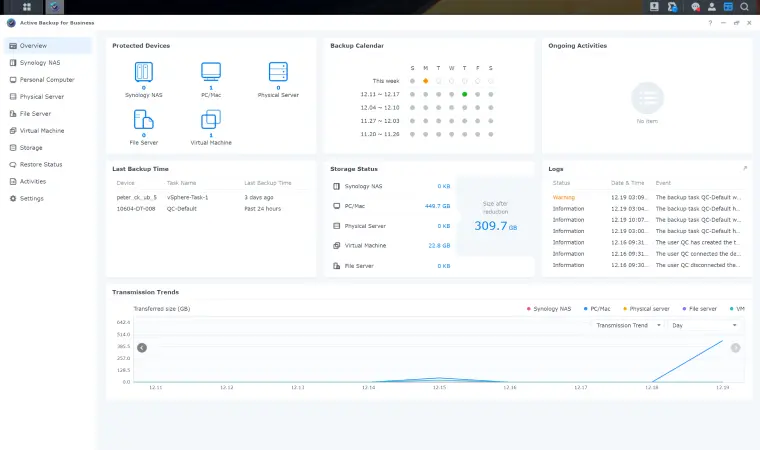
An intuitive graphical interface makes backup straightforward.
Centralised management
Manage, deploy and monitor every backup task from one console and see protection status at a glance.
Reports and notifications
Generate reports on your own schedule and receive status-change alerts to stay informed.
Simplified deployment
Configure once and tasks run automatically, greatly reducing administration.
Synology provides multiple protection mechanisms to block unauthorised access and secure the whole NAS stack.
System-level protection
Backup for PCs and Macs
Back up and manage Windows PCs and Macs from one console.
Bare-metal backup and restore
System-level backup of all applications, settings and data, with bare-metal restore to keep endpoints protected during downtime.
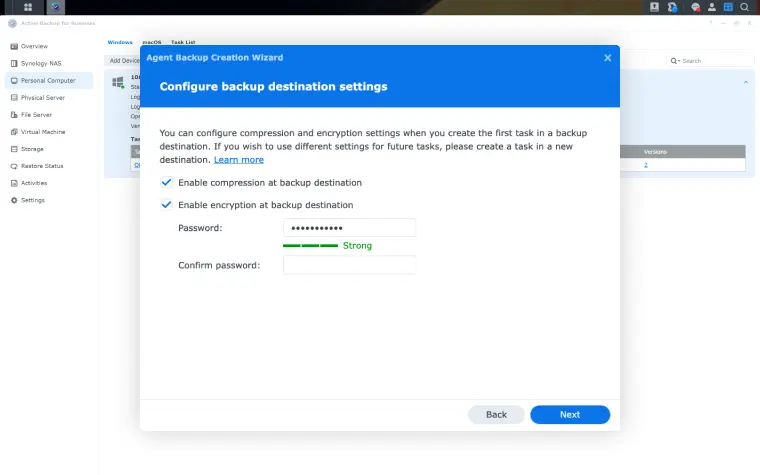
Easy deployment: just install the Active Backup for Business agent on a compatible PC or Mac.
Set a backup policy: schedule tasks, or trigger backups on screen lock, logout or startup.
Create recovery media: build USB or ISO boot media for bare-metal restore of Windows and Mac devices.
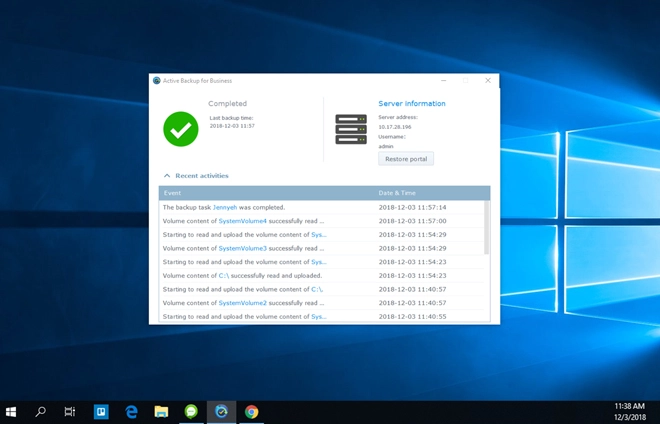
Simplified IT deployment and management: Active Backup for Business (ABB) makes it easy to roll out PC backup tasks in bulk.
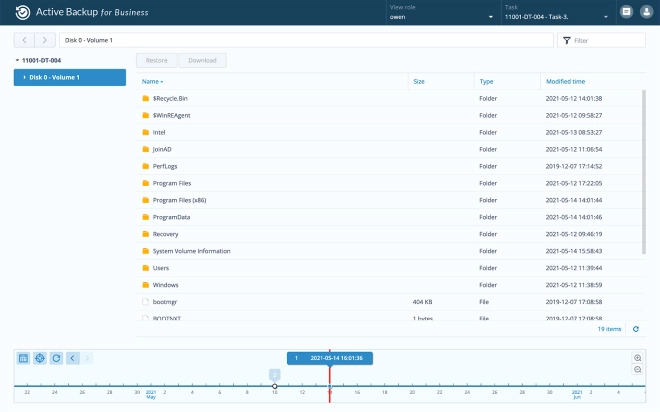
Self-service restore portal: set up many PC or Mac backup tasks across the organisation with ease.
Custom backup policies: administrators define frequency and retention rules per task and the system applies them automatically, reducing admin workload.
Bulk deployment: pre-configure the ABB agent with credentials, then push it to hundreds of workstations via Windows AD Group Policy.
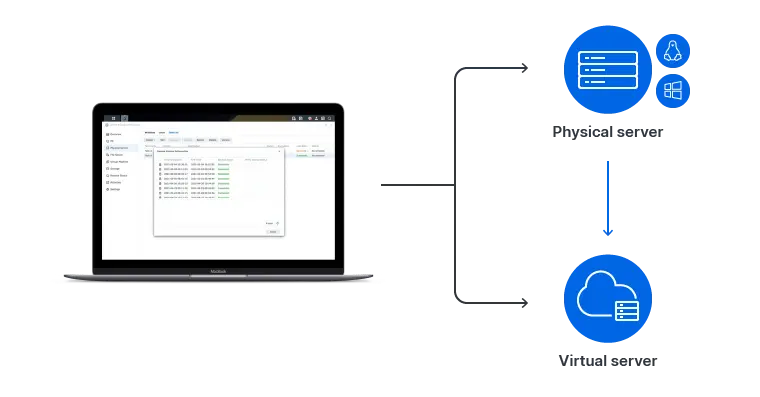
Full-stack protection for physical servers
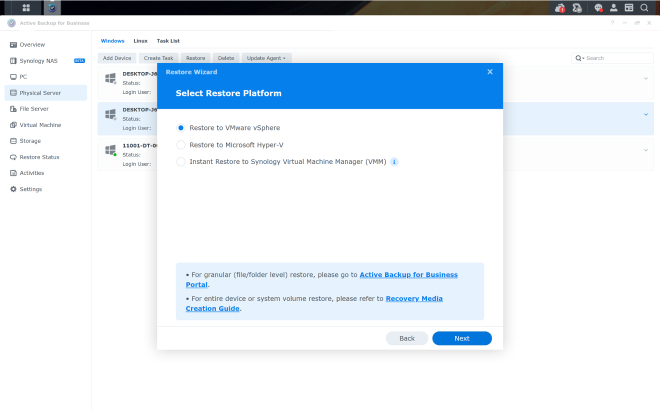
A single Synology NAS backs up and protects the services and data on your Windows or Linux physical servers. With Active Backup Instant Restore, services can be brought back instantly to VMware vSphere, Microsoft Hyper-V or Synology Virtual Machine Manager (VMM) if a server fails.
Built for enterprise workloads:
Global deduplication: duplicate files are stored once, saving substantial space across server backups.
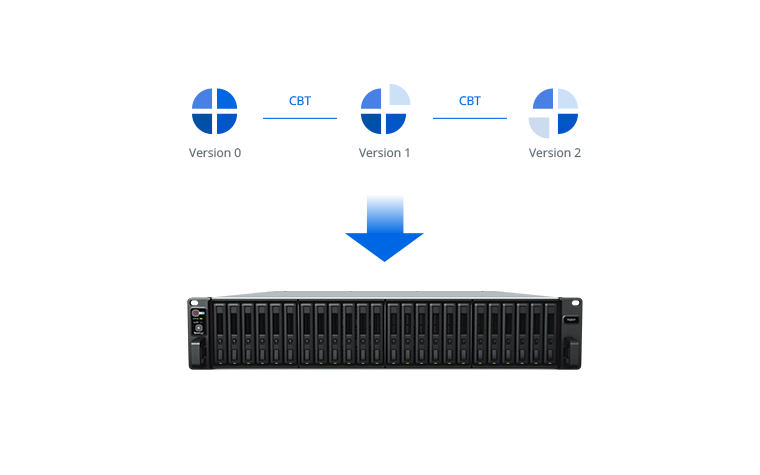
Incremental backup: only data added or changed since the last run is transferred, cutting backup time and bandwidth.
Windows VSS integration: backs up VSS-aware applications; for non-VSS-aware applications the system runs pre-freeze and post-thaw scripts automatically, improving business continuity.
Bare-metal restore: recover disk images, applications, system settings and data quickly after an unplanned disaster.
P2V restore: boot backup images directly on VMware, Hyper-V or Synology Virtual Machine Manager.
Self-service restore: users recover the files or folders they need from the restore portal, easing the load on IT.
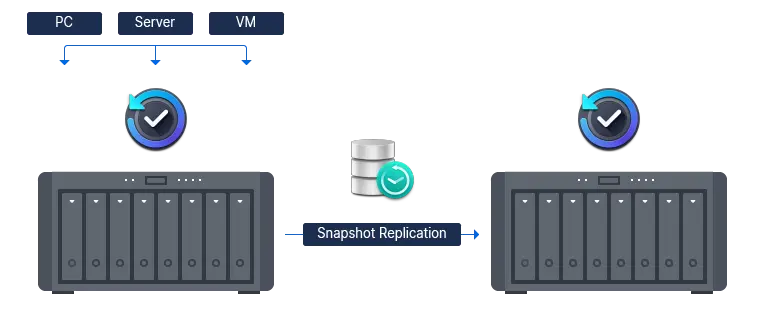
Implement 3-2-1 backup for far greater data safety
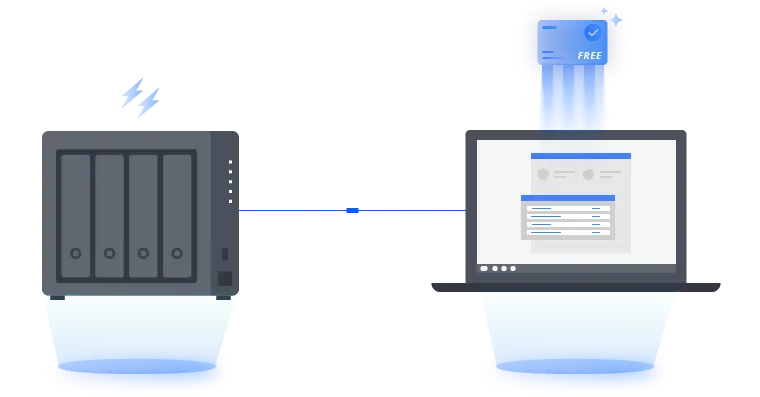
Beyond Active Backup, Synology NAS includes many other data protection features at no licence or subscription cost. Use Snapshot Replication for second-level snapshots and replication, copying Active Backup data to an off-site Synology NAS so it can be restored immediately if the production site fails.
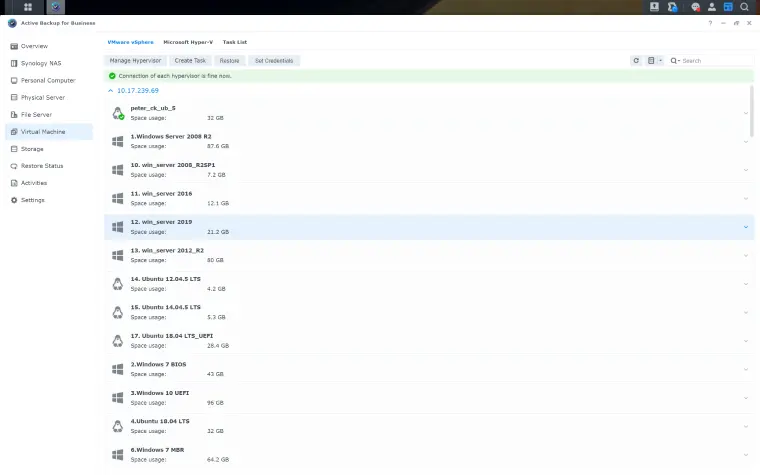
Back up and restore VMware and Hyper-V
With no licence or subscription fees and powerful deduplication, back up VMware vSphere and Microsoft Hyper-V virtual machines — with no limit on the number of VMs.
Implement 3-2-1 backup for far greater data safety
Beyond Active Backup, Synology NAS includes many other data protection features at no licence or subscription cost. Use Snapshot Replication for second-level snapshots and replication, copying Active Backup data to an off-site Synology NAS so it can be restored immediately if the production site fails.
Incremental backup
Integrates VMware Changed Block Tracking (CBT) and Hyper-V Resilient Change Tracking (RCT) so each run transfers only changed blocks, greatly improving backup efficiency.
Windows VSS integration
Guarantees data consistency for VSS-aware applications, including Microsoft Exchange, Active Directory, SQL Server and SharePoint running on VMware or Hyper-V.
Built-in global deduplication
Duplicate files are stored once, greatly reducing storage needed for cross-device and cross-platform backups.
Verify backup reliability
Simulate running the VM on Synology VMM to verify the backup is sound before you need it.